
Clients can now manage device change requests directly through the Marco Insights Cloud.
To get started on a device change request, please log in to the portal at: https://portal.marconet.com/signin.
If you do not have access to the portal, then please sign up here: https://portal.marconet.com/signup.
CHANGE REQUEST
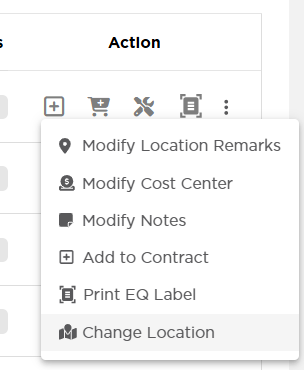
A request can be submitted from the Copier Module. Access the "Change Location" feature by navigating to Equipment > Action > Change Location.
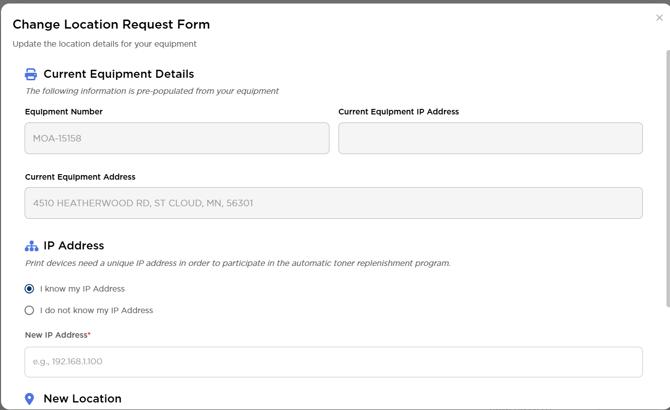
Then you will be prompted to complete the Change Location Request Form, as shown below. Once completed, hit submit, and a notification will go to Marco to complete. Clients should allow up to 3 business days for their requests to be processed.
We’ve now expanded this capability to include bulk submissions via CSV upload. Clients can look for the Import Bulk EQ Updates button on the Copier page to get started.